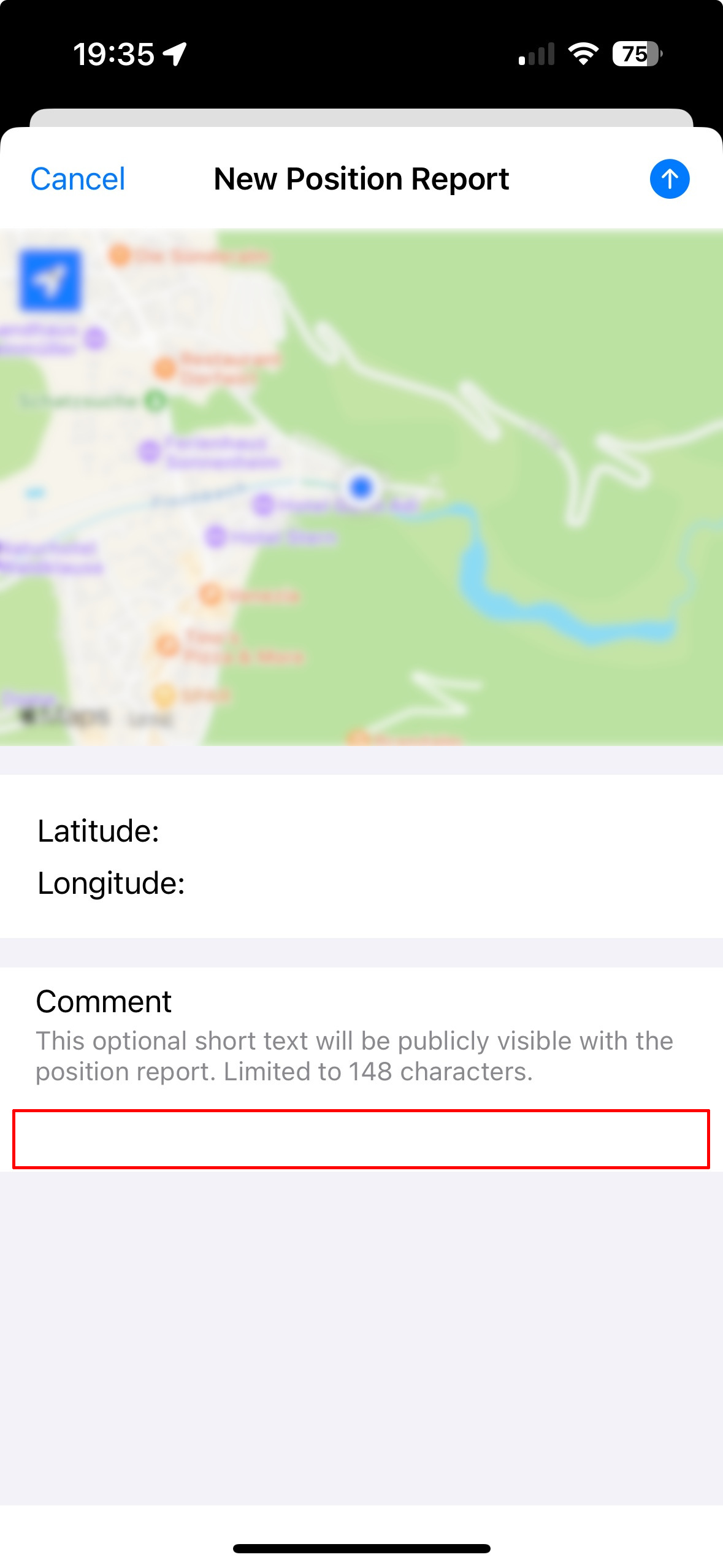
Hello.
I attempted to select the field so that I could add a small comment. I could not seem to select the field to add the comment.
Using an iPhone for the app.
Thank you
Vince Grimaldi
KM6YHE
N4EJM
September 25, 2024, 5:21pm
2
Press and hold the envelope icon. Should bring up three different items.
John Madden
N4EJM
September 25, 2024, 5:21pm
3
I’m sorry the edit icon. Lower right. Oops.
John Madden
N4EJM
September 25, 2024, 5:23pm
4
Ok disregard everything I just said. Looks like it’s not working. My bad.
John Madden
Hmm. Not obvious. A user should be able to touch anywhere in the field to edit the field.
The lower right did work
Vince Grimaldi
KM6YHE
I am talking about the comment field in the position report option
Vince Grimaldi
KM6YHE
oe7drt
September 25, 2024, 5:42pm
7
Tap anywhere below the line »position report. Limited to 148 characters.«
Really, this does work quite well for me?
(attachments)
wh6az
September 26, 2024, 1:35am
8
Without placeholder text in a text field, it's unclear where to tap to set the focus. iOS doesn't support placeholder text in multi-line fields directly, so a custom solution is needed. This is something I'll consider, as it has confused users before.