Radiomail has been working well for me with my iPad mini 7. And two different handhelds. Then suddenly it doesn’t work. It attempts to connect several times and then gives me the “unable to connect” message. I think I have tried every troubleshooting suggestion at this point. I use the internal modem and a digirig lite. Works perfectly when I switch over to my laptop with Winlink Express. I did recently upgrade to the new iPad iOS but that is the only change I can think of. Any thoughts?
Can you confirm the following?
-
Make sure RadioMail has permission to use the microphone in iOS settings.
-
Double-check that the iPad’s output volume is turned up enough for the radio to pick up the signal.
-
Confirm that the radio is keying up (PTT working properly).
-
Try with another radio—do you hear audio modulation going out?
-
Listen on frequency—do you hear the Winlink station responding?
Affirmative to all 5 suggestions. It just refuses to connect.
Try to enable server logging by going to iPhone settings → RadioMail → Log to Remote Server. Make sure to fully quit and restart RadioMail for changes to take effect. After reproducing the problem, remember to turn off logging as it can send a lot of data. Let me know date/time so I can look for your session in the logs.
So I just completed 3 tests. 2 October 2025 between 1230 and 1245 pacific time.
Thanks. Looked at the session and could not find anything blatant. RadioMail connects to the Headphone audio device and generates SABM connecting frames and times out because it’s not hearing/decoding anything back.
Since you’re using a DigiRig Lite, you need to make sure the audio path and volumes are working properly. Go to Settings > Sounds & Haptics. Plug your DigiRig Lite and verity that input and output value make sense. Particularly make sure the “Reduce Loud Sounds” are off.
One last thing to try. In Settings > Apps > RadioMail, turn on the Upload Packet Modem Audio to Remote Server. Quit the app and try again. Turn off after your test.
That will give me access to the raw audio that is played and recorded during the session. I suspect there is no audio back into the iPad but we’ll know that for sure.
OK so I went into sounds and it looks like the AUTO setting needed to be enabled (ipad with the new IOS) so it will switch from headphones to USB audio. I dis two more sessions after that ass well as sound for you to look at. It signed into the Winlink node just fine, started to work, and then just stopped. Attempts every few seconds by Radiomail did not get the other end to work. Will see if I can attach some photos.
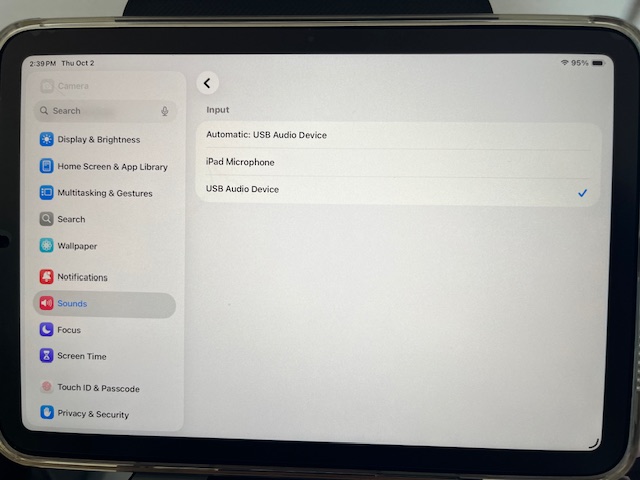
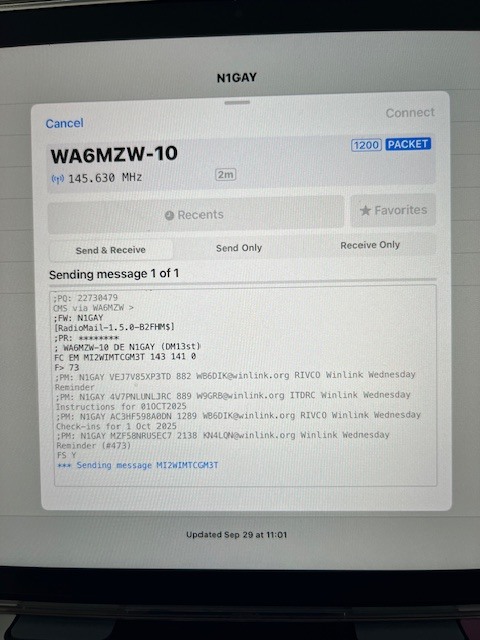
OK that makes sense now. In the failed attempt I saw RadioMail modem connecting to the “headphones” which is the default interface, not the USB Audio Device that the DigiRig present. I should have caught that but for some reason I wrongly thought you were using the DigiRig VOX.
What confused me is that you said the radio was PTT and you heard audio in/out, which would be impossible if the wrong audio interface is selected, the DigiRig would not operate.
So my recommendation remains, listen with another HT and make sure you hear audio out and back from the station. If that’s not the case, it’s likely a configuration problem.
I really appreciate your time with this. So I have always had a second radio on, and I have always heard both sides. This last time, when it actually signed in for the first time but then froze, was when I had changed the headphone setting to auto and did another sound calibration, in and out.