I have one and can honestly say Georges created in the B.B. Link a device
that works perfectly. I’ve run it through testing all the advertised
features over 50 times sending and receiving with not a single hiccup. It
just works!!
The DIY route might be fun for those that have lots of time, patience and
money but if you need something you can use immediately this is the device
to get and depend on to work in all situations.
Thanks Thom, thrilled you received your adapter and it's working well for you.
Looks like I made something you guys really love, it's flown off the shelves, and I'm currently out of stock. I'm currently producing another batch. If you'd like to ensure you get one from the next batch, you can place a pre-order now. Please be aware that it will take a few weeks before your order is shipped. Once dispatched, you'll receive an email notification with a tracking number.
I've looked at international shipping solution. The issue is cost and complexity of clearing customs. Currently the rate with USPS adds up to more than the price of the device for a reasonable shipping time.
I will need to research alternative that are suitable for my location. In the meantime, I suggest you subscribe to the mailing list:
It only uses the USB-C port for power, so you can plug it into a power pack
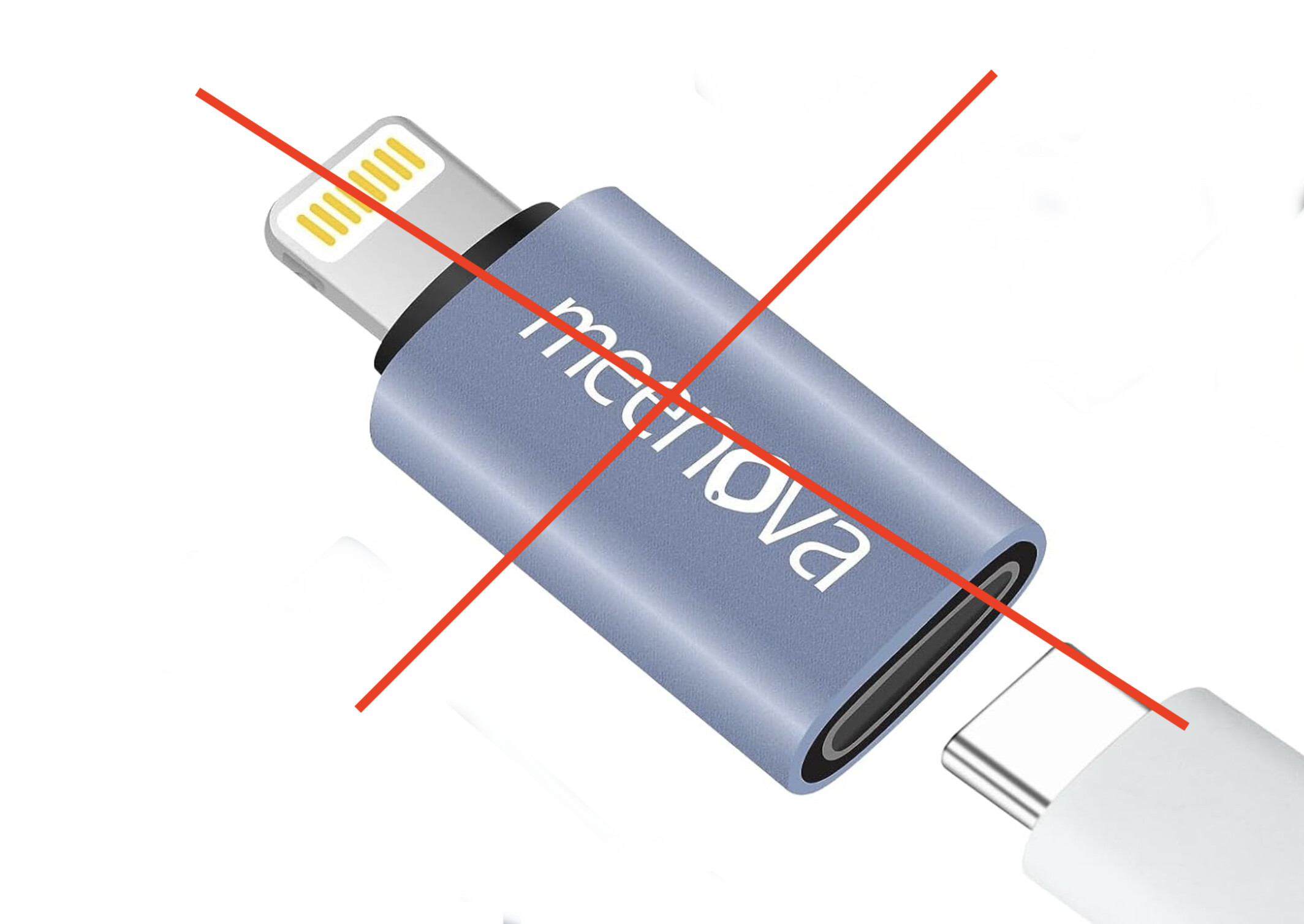
or (inadvisable!) some combination of Lightning-to-USB-C adapters if you
want to use it with a pre-USB-C iPhone.
Rich, all you need is a small power cube with a USB connector. I used an
Anker power cube as my test device.
Use the B.B. Link Configuration app to setup your TH-D74 or D75 as the
paired radio, then launch RadioMail and choose from your list of packet
nodes to connect to and press connect.
As I said, “it just works!” A beautiful thing.
So clue in the ignorant; you are using the USB-C only for powering your dongle? And to avoid that barrier I could use a USB-C power bank, of which I have many?
If so, I will be much more interested in this setup.
USB-C power bank will work to power the adapter, and so will the USB-C connector on iPhone 15 and some of the newer iPads.
Before thinking about using a lightning to USB-C adapter, know that it will not work. Those devices are meant to help you charge your iPhone with a USB-C cable (think current going into the device). They are not meant to act as power delivery device and can't be used to plug any USB-C accessories into your phone.
Similarly, the USB-C connector on the TH-D75 will not power anything either, it does not act as a power delivery host.
I finally got around to preordering one. I figure I should as I was there at the beginning when you posted on aprs.fi. I have a bunch of tinyoicos programmed up but I want the official one.
Thanks Daniel, I appreciate the support. The second batch of electronics has completed manufacturing and is being shipped from oversea. Next is customs clearance (always unpredictable) and on its way to me for final assembly and testing. I expect to be able to start dispatching pre-orders early June.
I have the BB Link working just fine using a D74 and an iPhone 14 (Lightning), will also work on older models and lightning iPads as well. This makes a great use for older Devices you may have as a micro winlink station. Not the most elegant solution but one that certainly does work and I”ll post an article on WaveTalkers with the details and a video on our WaveTalkers YouTube channel as soon as I get it recorded. Here is the high level though:
1. You need the Lightning Camera Connect dongle from Apple. This gives you a USB-A port and a Lightning Port.
2. USB-A to USB- C adapter, this lets you connect the BB Link to the dongle.
3. Powered Lightning Cable many ways to do this - Backup battery with USB port, connect lightning cable. Many other options out there.
Power the Camera Connect Kit dongle, then connect the BB Link, then plug the works into the iPhone. Now the iPhone supplies enough power to the BB Link to make it work.
As a bonus to this method you are also charging your iPhone while sending winlink traffic.
That’s it, it just works. Bind the BB Link to the D74 or D75, select the packet station and you’re sending traffic.