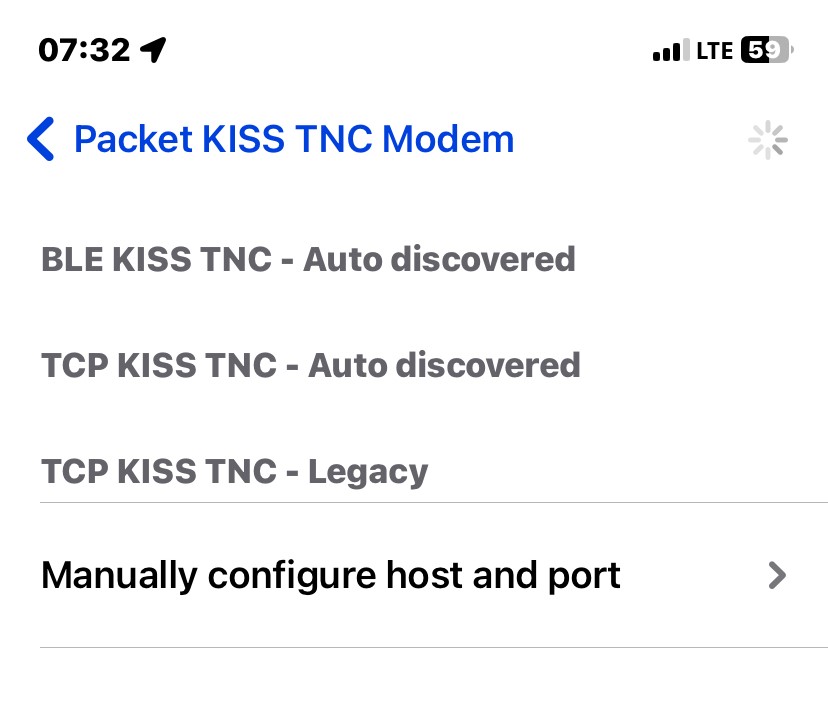
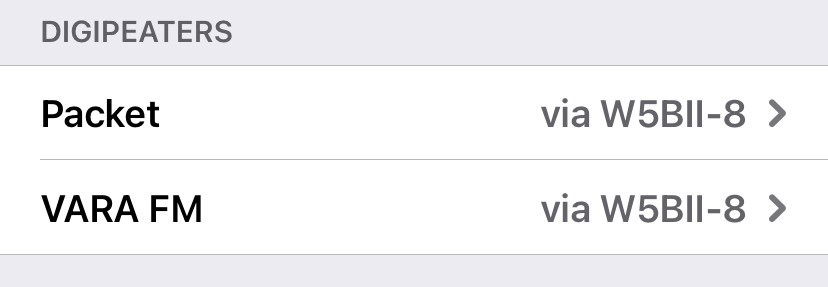
I am prompted to configure a device. I selected "Packet KISS TNC Modem" and then click on Default TNC and only get a spinning wheel. I assumed I would have been able to select "BLE KISS TNC - Auto Discovered"
Also, my local club has a VHF gateway and it is configured as W5BII-8. Do I have that info in the right place? I do see that station in the directory and I have it saved as a favorite.
You are correct, discovered TNC will show on that screen and you can select them. If your device does not show, follow those steps:
1. Make sure that RadioMail has been granted access to Bluetooth (iOS Settings -> RadioMail -> Allow RadioMail to Access Bluetooth)
2. Turn the BLE TNC device on and make sure no other app is accessing it.
3. In RadioMail, select the TNC you want to use (Settings -> Packet KISS TNC Modem -> Default TNC)
From then on, RadioMail will remember your BLE TNC selection.
Regarding the gateway, it should either exist in the station directory or you enter it manually and then favorite it. Once in the favorite it will show in the connection screen when you're trying to establish a connection (tap envelop in bottom left corner)
The digipeater section is only needed to be configured if you're using a digipeater to repeat your transmission to reach another station. In your case, clear this section.
I have done these three Steps. However, when I click the small envelope
graphic on the bottom left, I get the following message at the bottom half
of the screen. The default is the Telnet WL2K, but I want to connect to
W5BII-8 which is saved as a favorite. When I click on the Favorite tab,
under VARA FM, it still says "No Device Configured"....
Is there something else I need to do? I have an account "N1JWW" with a
password for Winlink. Under VARA FM, I have Radio Control turned off.
The mobilinkd TNC 4 is a packet modem. Vara FM is a completely different mode for which you'll need a Vara FM software modem to run on a PC.
Assuming the W5BII-8 station has been setup as a packet channel, on the connection screen, tap Favorite and select Packet, then select the station you want to connect to.
Thanks, Georges, I missed that. I do have VARA FM configured on my Surface
PC. I will be able to make use of the Signalink with the Computer. I
assumed I would be able to use Radio Mail....